A PMV is not a video with music on top. A PMV is music with a video inside it — and the difference is everything. A video with music on top is a slideshow that happens to have a soundtrack. A PMV is a song that has been given eyes: the cuts land on the beat, the scenes rise with the chorus, and the ending arrives exactly when the music ends. The music is not the background. The music is the structure, and the video is what the structure holds.
This guide is about making an AI porn PMV from nothing: picking the song, building the clips, cutting on the beat, and finishing with an ending that lands. It is written for fictional adult characters only. The consent rule is absolute: generate images of yourself, or of fictional adults, and never of a real person without their consent.
Quick verdict
A PMV is a song with a video inside it. Pick the song first, cut on the beat, build the arc — quiet verse, rising chorus, quiet ending — and stop when the music stops. The beat is the edit. The song is the structure. Everything else is decoration.
In this guide
- 1. Pick the song first
- 2. Map the song before you make a clip
- 3. Build the clips: one still, one movement
- 4. Cut on the beat
- 5. The arc: quiet verse, rising chorus, quiet ending
- 6. Transitions: the cut is the transition
- 7. The ending: stop when the music stops
- 8. Five mistakes that make a PMV feel flat
- 9. Cost: what a PMV costs to make
- 10. Consent: the rule that decides everything
- FAQ
1. Pick the song first
Pick the song first, because the song is the structure. A PMV built without a song is a video that needs music afterwards — and music added afterwards never fits, because the cuts were made for silence, and silence has no beat. A PMV built with a song is a video made for a beat, and the beat is the edit. The song comes first, and everything else follows.
Pick a song with a clear beat. A clear beat is a beat you can count: one, two, three, four — and the cuts land on one. A song with a vague beat, a slow build, or a tempo that wanders is a song that will fight the edit, and the edit will lose.
And pick a song with a shape: a quiet start, a rising middle, and a clear ending. A song that is loud all the way through has no arc, and a PMV without an arc is a flat line. A song with a shape gives you the arc for free — and the arc is the story. Our template pack on this site has ten ready-to-use PMV structures — use it after this one, once you know what a song’s shape looks like.
2. Map the song before you make a clip
Map the song before you make a clip, because the map is the plan. Listen to the song three times, and write down what happens: where the verse starts, where the chorus starts, where the bridge is, and where the song ends. The map is a list of moments, and the list is the edit. A PMV without a map is a PMV made by guessing, and guessing is not editing.
The map is also the budget. A three-minute song at five seconds a clip is thirty-six clips. A one-minute song at five seconds a clip is twelve clips, and twelve clips is a plan. Count the clips before you make them, because the count is the cost. A PMV that runs out of clips halfway through is a PMV that ends early.
And mark the moments that matter: the first beat of the chorus, the drop, the last note. The moments are where the best clips go, and the best clips are the ones you make first. Make the best clips first, and the rest of the PMV is filler that supports them. Make the filler first, and the best clips never arrive.
3. Build the clips: one still, one movement
Build the clips one at a time, because a clip is one still image plus one movement — and one still plus one movement is a plan you can repeat. Generate the still first, from a prompt, and keep it. Then generate the movement from that still, with one direction: a slow push, a slow pan, or a small turn. One still, one movement, and the clip is done.
A video clip is about 351 credits for five seconds at 720p, and 561 for eight seconds — and the price is the reason to plan. A clip that is wrong costs the same as a clip that is right, so make the still first, and make the movement second. A still is cheap to replace. A clip is not.
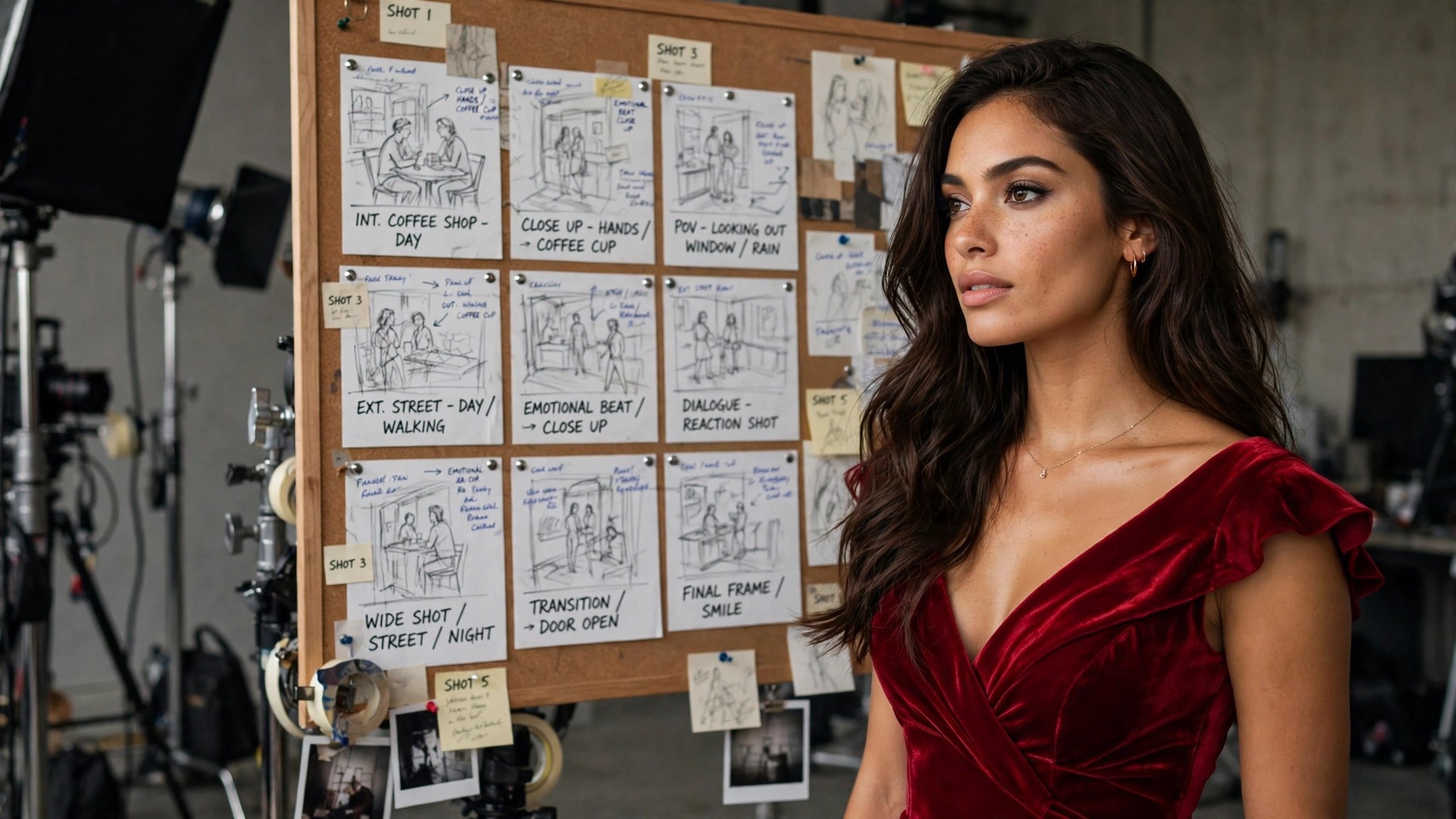
And keep one character across the clips. A PMV with five faces is five videos, and five videos is not a PMV. One face, one reference, and the character stays herself — because the reference is the anchor, and the anchor is what makes her a person. A still that is right becomes the reference for every clip after it.
4. Cut on the beat
Cut on the beat, because the beat is the edit. A cut that lands on the beat feels right, and a cut that lands off the beat feels wrong — and the feeling is the whole craft. The viewer does not know why a cut feels right. They only know that it does, and that is enough. The beat is the reason, and the reason is invisible.
Cut on the one, not on the four. The one is the downbeat, the start of the bar, and the downbeat is where the eye expects a change. A cut on the four is a cut that arrives early, and early is a stumble. A cut on the one is a cut that arrives on time, and on time is invisible. The one is the cut, and the cut is the one.
And cut less than you think. A PMV with a cut every second is a PMV that never lets the viewer see anything, and a viewer who never sees anything is a viewer who leaves. A cut every two beats is a rhythm. A cut every beat is a drum. A cut every half-beat is a panic. Let the clip breathe, and the beat will do the work.
5. The arc: quiet verse, rising chorus, quiet ending
The arc is quiet verse, rising chorus, quiet ending — and the arc is the story. The verse is quiet: slow clips, long shots, a face in soft light. The chorus is rising: faster cuts, closer shots, more movement. The ending is quiet again: a long shot, a slow fade, a face at rest. The arc is a shape, and the shape is the song.
Build the verse with the cheapest clips. A verse is a mood, and a mood is a still image with a slow push — and a slow push is one movement, and one movement is cheap. Save the best clips for the chorus, because the chorus is the peak, and the peak is where the best clips belong. A PMV that spends its best clips in the verse has nothing left for the chorus.
And the ending is a return, not a stop. A PMV that ends on a loud cut feels unfinished, because the music ended and the video did not. A PMV that ends on a quiet shot feels finished, because the video ended with the music. The ending is the last thing the viewer sees, and the last thing is the memory.
6. Transitions: the cut is the transition
The cut is the transition, and the transition is the cut. A PMV does not need wipes, dissolves, or fancy effects — it needs cuts that land on the beat, and cuts that land on the beat are invisible. A fancy transition is a transition that calls attention to itself, and attention to the transition is attention away from the song. The song is the star. The cut is the servant.
Use a dissolve only once, and use it for the biggest change: the verse to the chorus, or the chorus to the ending. A dissolve used once is a signal. A dissolve used ten times is a habit, and a habit is a crutch.
And match the light across the cut. A bright clip cut to a dark clip is a jump, and a jump is a stumble. A warm clip cut to a warm clip is a flow, and a flow is invisible. Match the light, and the cut disappears. Match the angle, too: a front-facing clip cut to a front-facing clip is a flow, and a profile cut to a profile is a flow. The match is the invisible edit.
7. The ending: stop when the music stops
Stop when the music stops, because the music is the clock. A PMV that runs past the song is a PMV that has nothing left to say, and nothing left to say is a reason to stop. A PMV that ends before the song is a PMV that left the song unfinished, and unfinished is a reason to keep going. The song is the length, and the length is the song.
Plan the ending first, after the song. The ending is the last clip, and the last clip is the one the viewer remembers. Make the last clip the quietest, the longest, and the most beautiful — because the last clip is the memory, and the memory is the PMV. A PMV with a great ending is a great PMV. A PMV with a weak ending is a weak PMV, no matter how good the middle was.
And export once, and watch it once, all the way through, without stopping. Watch it once, note the one thing that is wrong, fix that one thing, and export again. One viewing, one fix, and the PMV is done.
8. Five mistakes that make a PMV feel flat
- Music added afterwards. Cuts made for silence never fit a beat. Fix: pick the song first, and map it before you make a clip.
- No map. A PMV made by guessing is a PMV made by accident. Fix: listen three times, and write down the moments.
- Cutting every second. A viewer who never sees anything is a viewer who leaves. Fix: a cut every two beats is a rhythm.
- Best clips in the verse. A PMV that spends its best clips early has nothing left for the chorus. Fix: save the best for the peak.
- No ending. A PMV that runs past the song has nothing left to say. Fix: stop when the music stops.
Fix one mistake at a time. Change the song, or change the cut, or change the ending — not all three. One change, one lesson. The PMV makers people remember were not born good. They were beginners who cut on the beat, and the beat made them better.
9. Cost: what a PMV costs to make
A PMV costs clips, and a clip is a video: about 351 credits for five seconds at 720p, and 561 for eight seconds. A one-minute PMV at five seconds a clip is twelve clips — about 4212 credits, roughly $84.24 on the $19.99 pack and $50.54 on the $59.99 pack. A three-minute PMV is thirty-six clips, and thirty-six clips is three times that. The count is the cost, and the cost is the plan.
And the stills are cheap by comparison: an image is about 49 credits — roughly $0.98 on the $19.99 pack and $0.59 on the $59.99 pack — and a still is the plan for a clip. Make the still first, and the clip second. A still that is wrong costs 49 credits to replace. A clip that is wrong costs 351. The still is the insurance, and the insurance is cheap.
And the paid packs are for unlimited access: $19.99 for 1000 credits, $59.99 for 5000 credits, and the annual packs at $119.88 and $359.88, paid once and delivered monthly over twelve months. The generator shows the exact cost before you run it, so the price is never a surprise. The song is free. The clips are the cost — and the cost is the plan.
10. Consent: the rule that decides everything
Only generate images of yourself, or of fictional adults. Never generate an image of a real person without their consent — not a celebrity, not an acquaintance, not a stranger. Non-consensual generation is not allowed, and a generated image is harder to take back than a photo once shared. The tool is built for your own images and fictional adults, and that boundary is absolute.
This is also practical, not just ethical: images made with consent are usually better inputs and better results. They are shot properly, well lit, front-facing — because the person knew they were being photographed. A stolen or secret photo is usually dark, cropped, or shot from a bad angle, which is also a bad input. Consent and quality point the same way — and a PMV, built on clips of consented images, is the proof: it works because the clips are clean, not because the edit is fast.
FAQ
How do I make an AI porn PMV?
Pick the song first, map it, build the clips — one still image plus one movement each — cut on the beat, build the arc from quiet verse to rising chorus to quiet ending, and stop when the music stops. The beat is the edit. The song is the structure.
How long should a PMV be?
As long as the song. A one-minute song is twelve clips at five seconds a clip. A three-minute song is thirty-six. Count the clips before you make them, because the count is the cost.
How much does a PMV cost to make?
A video clip is about 351 credits for five seconds at 720p, and 561 for eight seconds. A one-minute PMV is about 4212 credits — roughly $84.24 on the $19.99 pack and $50.54 on the $59.99 pack. The stills are about 49 credits each.
What is the most common PMV mistake?
Music added afterwards. Cuts made for silence never fit a beat. Pick the song first, and map it before you make a clip — and cut on the one, not on the four.
How do I keep the same character across clips?
One face, one reference. Generate the still first, keep it, and use it as the reference for every clip after it. Match the light and the angle, and the character stays herself.
Can I make a PMV of a real person?
No. Only generate images of yourself, or of fictional adults. Generating an image of a real person without consent is not allowed.
Final verdict
A PMV is a song with a video inside it. Pick the song first, cut on the beat, build the arc — quiet verse, rising chorus, quiet ending — and stop when the music stops. The beat is the edit. The song is the structure. Everything else is decoration, and decoration is the last thing, not the first.